

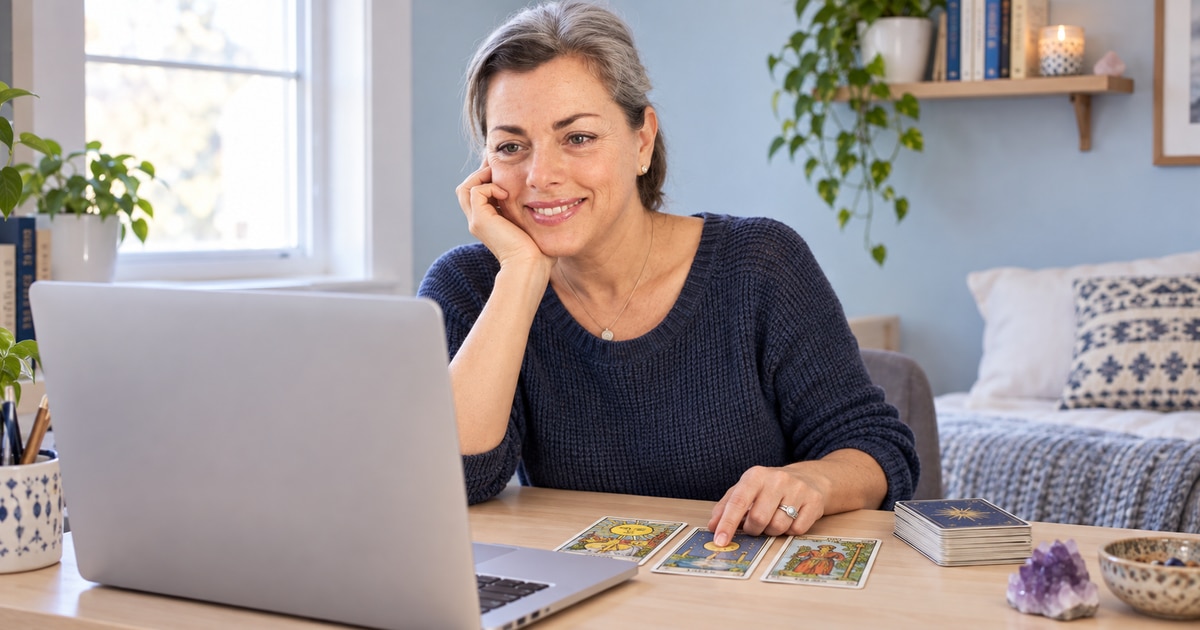
Sometimes seeing the reader makes a conversation feel more personal. A live psychic video reading can bring facial expressions, gestures and—when the reader offers it—a view of the cards or tools into your session.
You can join from your own space without the travel of an in-person appointment. The useful question is whether that visual connection helps you feel comfortable and engaged, not whether a camera makes a prediction certain.
What video adds to a reading
A reader may show a tarot spread, hold up an oracle card or explain the position of a pendulum or other tool. Seeing the process can make it easier to ask about a particular symbol or follow an explanation.
Not every video reader places tools on camera, and some work mainly through conversation or intuition. Read the profile or ask before booking if seeing the cards is the main reason you want video.
Video may suit you if…
- You connect more easily when you can see a face.
- You enjoy visual explanations of cards or symbols.
- You have a private place and reliable internet.
Consider another format if…
- A camera makes you self-conscious or distracted.
- Your connection struggles with video.
- You would prefer listening, typing or a written reply.
Our remote-reading comparison explains phone, chat and email alternatives.
Choose the reader before choosing the screen
Look for a method, tone and topic that appeal to you. A clear camera image is useful, but it tells you little about whether you will enjoy the reader’s communication style.
Check that video is offered by the particular reader, not merely advertised somewhere on the service. Confirm availability, session length, rate and currency. If you are joining from Canada, check the time-zone label on any appointment.
See our reader selection guide for a practical shortlist.
A five-minute setup before you connect
- Test the camera and microphone. Use the same device, browser or app you plan to use for the reading.
- Put the device on a stable surface. A stand or supported laptop is easier than holding a phone throughout the conversation.
- Use soft light in front of you. A bright window behind you can make it difficult to see your face.
- Check the connection and battery. Close unnecessary downloads and plug in if needed.
- Silence interruptions. Keep your question and notebook nearby so you can settle in.
You do not need a professional-looking room. A quiet, comfortable corner is enough.
Decide what the camera will show
Look at your preview for mail, family photographs, work documents or anything else you would rather keep private. Use background blur where the platform provides it, or face a plain wall.
Ask whether video, audio or chat is recorded or retained, who can access it and whether you can decline recording. Do not assume that a live session disappears when the call ends. If you want your own recording, ask first and follow the service’s rules.
The reading privacy guide also covers shared devices, notifications and account information.
Bring a question you can explore together
Start with a brief intention: “I’m considering a change and would like to look at what is holding me back.” You can then ask the reader to explain a card, clarify an impression or connect a theme to your original question.
Useful follow-ups include “What draws your attention in that card?” and “How might I reflect on that after the session?” You can say when something does not fit rather than trying to make every detail match.
Keep important practical decisions grounded in your own observations and qualified support. A reading can be a meaningful spiritual experience without becoming an instruction you must follow.
Keep time and billing clear
Know whether the session is fixed-price or timed, when charging begins and how to end it. Ask what happens if either person loses the connection. A frozen image, reconnection attempt and unused package time may be handled differently by different services.
If a problem occurs, note the time and any error message. Use official support and include the booking reference—not payment credentials—in your request. Our after-reading support guide can help you describe the issue.
After the screen closes
Give yourself a few minutes to write down what felt meaningful and what you want to revisit. You do not have to book another session immediately to act on a useful insight.
Frequently asked questions
1. What is a live psychic video reading?
It is a real-time conversation with a reader using a camera and microphone. Depending on the reader’s method, you may also see cards or other tools.
2. Will I always see the tarot cards?
No. Camera arrangements vary. Ask whether the reader shows the spread if that is important to your booking.
3. Does video make a reading more accurate?
A camera changes how you communicate, not what can be guaranteed. Choose video for comfort and visual explanation rather than certainty about predictions.
4. Can I use my phone?
Often, but requirements depend on the service. Check the supported app or browser and test your camera, microphone and connection before booking.
5. Do I need a special room?
No. Choose a quiet, comfortable place with a stable device and enough light. Check your camera preview for private items.
6. Can I keep my own camera off?
Ask before paying. Some services or readers require two-way video, while others may allow a different arrangement or offer phone instead.
7. Are video readings recorded?
Recording and retention vary. Ask what is saved, who can access it and what choices you have; do not assume a live call is automatically private or temporary.
8. Can I record the reading myself?
Ask everyone involved first and follow the service’s rules and applicable requirements. Taking brief written notes is an alternative.
9. What should I do if the image freezes?
Follow the service’s reconnection instructions, note the time and any error, and contact support if needed. Check the billing policy before the session.
10. Is video more expensive than phone?
Not necessarily. Prices depend on the reader, service and package. Compare the actual rate, currency and included time.
11. What questions work well on video?
Bring one main topic and ask follow-up questions about the interpretation or symbols. A clear intention helps keep the conversation focused.
12. Can I have a mediumship reading by video?
Some mediums offer video appointments. Check the reader’s service description and structure; a particular message or spiritual contact cannot be promised.
13. Can someone else join me?
Ask the reader or service before booking. Additional participants may change the price, privacy arrangements or way the session is structured.
14. Can I end the call if I feel uncomfortable?
Yes. Use the correct end-session control and check the receipt or account afterward. You can decline topics or extra services during the conversation.
15. What if I prefer not to use video?
Choose phone, chat, email or an in-person appointment if available. The best format is one in which you can communicate comfortably and understand the practical terms.